
Manpower Requisition Form (MRF)
Manpower Requisition Form (MRF)
Short description
A complete, ready to use staffing request form covering every piece of information a hotel needs before it begins recruiting, organised into seven clearly marked sections from position details through to a five level approval chain and an HR tracking block. Form coded, revision controlled, and built to sit directly alongside the Effective Recruitment Procedure SOP as its first working document.
Purpose
Recruitment goes wrong at the beginning far more often than at the interview. A department head says they need another waiter, HR starts looking, and three weeks later it emerges that the position was never in the budget, that the salary expectation was unrealistic, or that what was actually needed was a bartender. The MRF exists to prevent exactly that, and it does four things:
- It forces the request to be complete before work starts. Position, grade, headcount, employment type, schedule, date needed and reporting line are all captured in one pass, so HR is not chasing details for a week.
- It confirms the budget position before anyone is interviewed. The form compares approved manpower planning headcount against current headcount, states whether the position sits within budget, and routes anything outside budget to a separate owner approval path.
- It pins down the requirements in writing. Education, experience, technical skills, languages, certifications and attitudes are specified by the person who will actually manage the hire, which is what makes screening accurate later.
- It establishes accountability through signatures. Four parties sign on every request, with a fifth for unbudgeted positions, so no one can later claim they were unaware of a hire.
It suits hotels of any size introducing formal staffing control, HR departments tightening the gap between request and recruitment, management companies standardising hiring approval across a portfolio, and finance teams seeking visibility over headcount before cost is committed rather than after.
What is inside the document
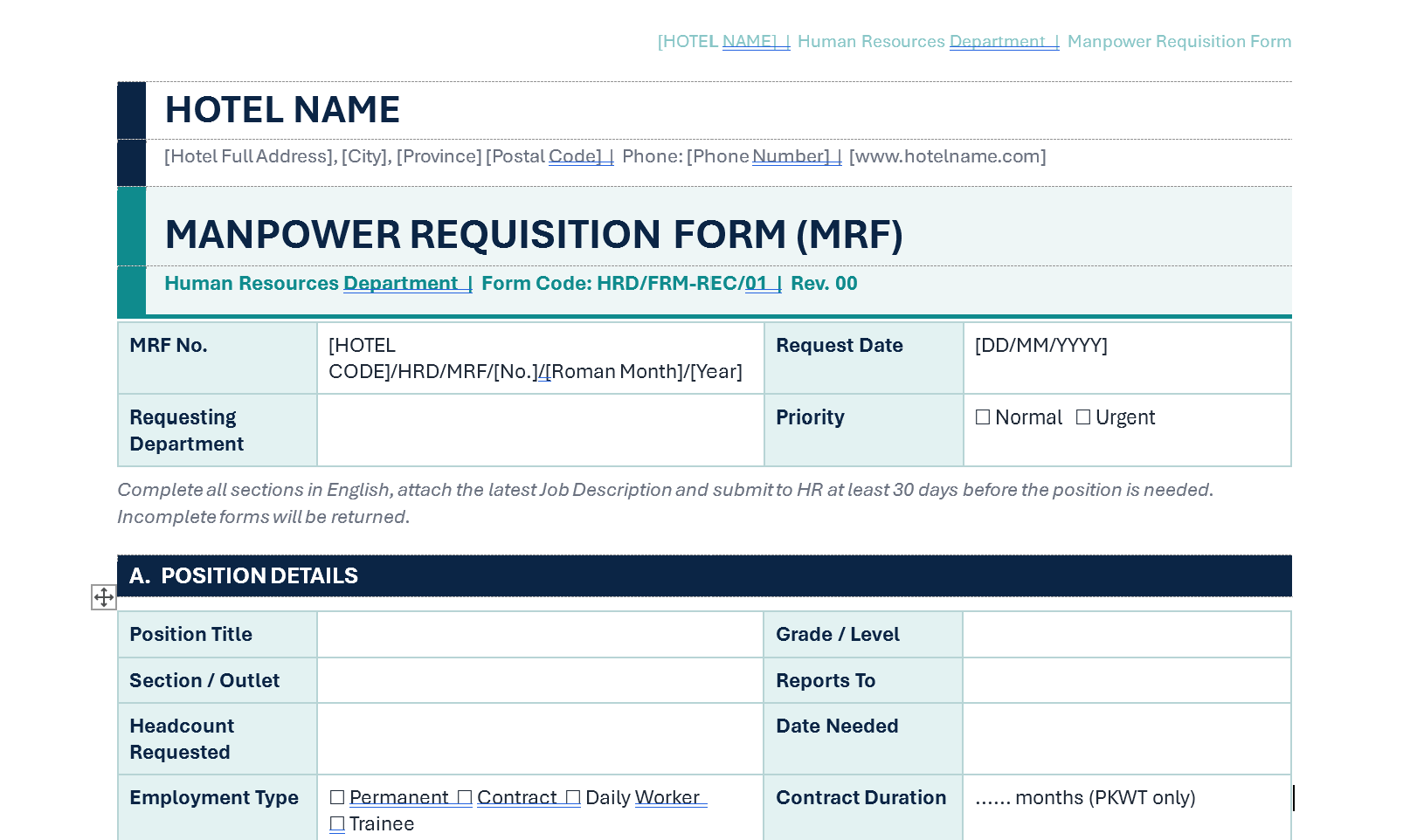
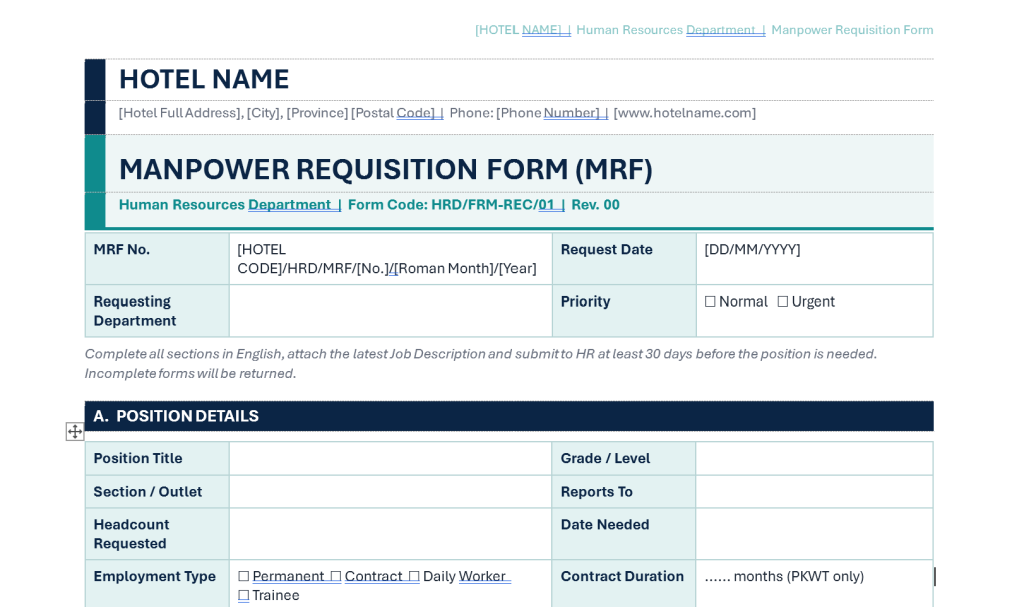
A single portrait page form, built in seven lettered sections with a document header and an HR tracking block.
1. Form header and identification
A letterhead block for hotel name, full address, phone and website, followed by the form title, department, form code HRD/FRM-REC/01, and revision number. Beneath it sits a four field identification row covering the MRF number with a worked numbering convention, the request date, the requesting department, and a priority marker offering Normal or Urgent.
A brief instruction line sits at the top of the form stating that all sections must be completed, that the latest job description must be attached, that submission is required at least 30 days before the position is needed, and that incomplete forms will be returned. That last clause matters, because a form without a stated consequence is treated as optional.
2. Section A, Position Details
Ten fields covering position title, grade or level, section or outlet, reporting line, headcount requested, date needed, employment type across permanent, contract, daily worker and trainee, contract duration for fixed term requests, work schedule as shift or non shift, and working days as five or six.
3. Section B, Reason for Request
Four fields establishing why the position exists. Request type covers new position, replacement, expansion or new outlet, peak season or event, and other. If the request is a replacement, the form captures the outgoing employee’s name, position and last working day. The reason for vacancy is selected from resignation, end of contract, promotion, transfer, termination or retirement. A free text business justification closes the section.
Capturing the reason for vacancy is the quiet value in this section, because the pattern across a year of forms tells the General Manager more about departmental health than any exit interview.
4. Section C, Manpower and Budget Status
Six fields that settle the financial question before recruitment begins, covering approved manpower planning headcount, current headcount, open vacancies, a yes or no confirmation that the position is within the manpower planning budget, the proposed salary range with minimum and maximum, and the budget or cost code. A final row handles the exception, confirming that written justification is attached and flagging that owner approval will be required in Section F.
5. Section D, Job Requirements
Seven fields specifying the candidate profile, covering education level, minimum years of experience with the preferred property standard, technical skills as free text, English level across basic, intermediate and fluent plus other languages, certifications including BNSP hospitality competency, food handler and occupational health and safety, key attitudes, and confirmation of whether the job description is attached in its latest version or requires updating by HR and the department head.
That final checkbox is a useful piece of discipline, because it catches outdated job descriptions at the only moment anyone is motivated to fix them.
6. Section E, Recruitment Plan
Four fields agreeing the approach up front, covering sourcing strategy as internal first, external or both, any internal candidate already identified, preferred channels across job portal, social media, referral, campus and headhunter, and the composition of the interview panel.
7. Section F, Approval
A five column signature block with name and date fields, covering the Department Head as requester, the HR Manager as verifier, Finance or Cost Control as reviewer, the General Manager as approver, and Owner or Corporate for positions outside budget. A footnote states that the fifth signature is required only for unbudgeted positions, and that the approval target is three working days.
8. Section G, For HR Use Only
An eight field tracking block completed by HR after approval, covering date received, assigned recruiter, target fill date, job posting date, MRF status across Open, On Hold, Filled and Cancelled, the candidate hired, the join date, and the resulting time to fill in days.
This section is what turns the form from paperwork into data. With time to fill captured on every form, the recruitment KPI reported monthly to the General Manager is produced automatically from the forms themselves rather than reconstructed from memory.
What you gain
- No recruitment started on an incomplete or unbudgeted request.
- Faster hiring, because HR receives everything needed in one submission instead of over several exchanges.
- Financial control before commitment, through budget verification built into the approval path.
- Accurate screening later, because requirements are specified by the hiring manager at the outset.
- Clear accountability, through a four signature chain with a defined exception route.
- Recruitment KPIs produced as a by product, through the HR tracking block.
- Immediate compatibility with the Effective Recruitment Procedure SOP, where this form is Stage 01 of the documented process.
COPYRIGHT NOTICE
Owner: Oka Witantra
All rights reserved.
Website: www.okawitantra.com
This document, including its design, layout, wording, structure and documentation, is the intellectual property of Oka Witantra. The purchaser is granted a single user licence to use and adapt this document for the internal operation of their own property or organisation. Reproduction, redistribution, resale, sublicensing or publication of this document, in whole or in part, is not permitted without prior written permission from the author.
All names, codes and figures shown in this document are sample data for illustration only.
Download Link:
Manpower Requisition Form (MRF)