
Monthly Duty Roster with Automatic Leave Balance Tracking
Monthly Duty Roster with Automatic Leave Balance Tracking
Short Description
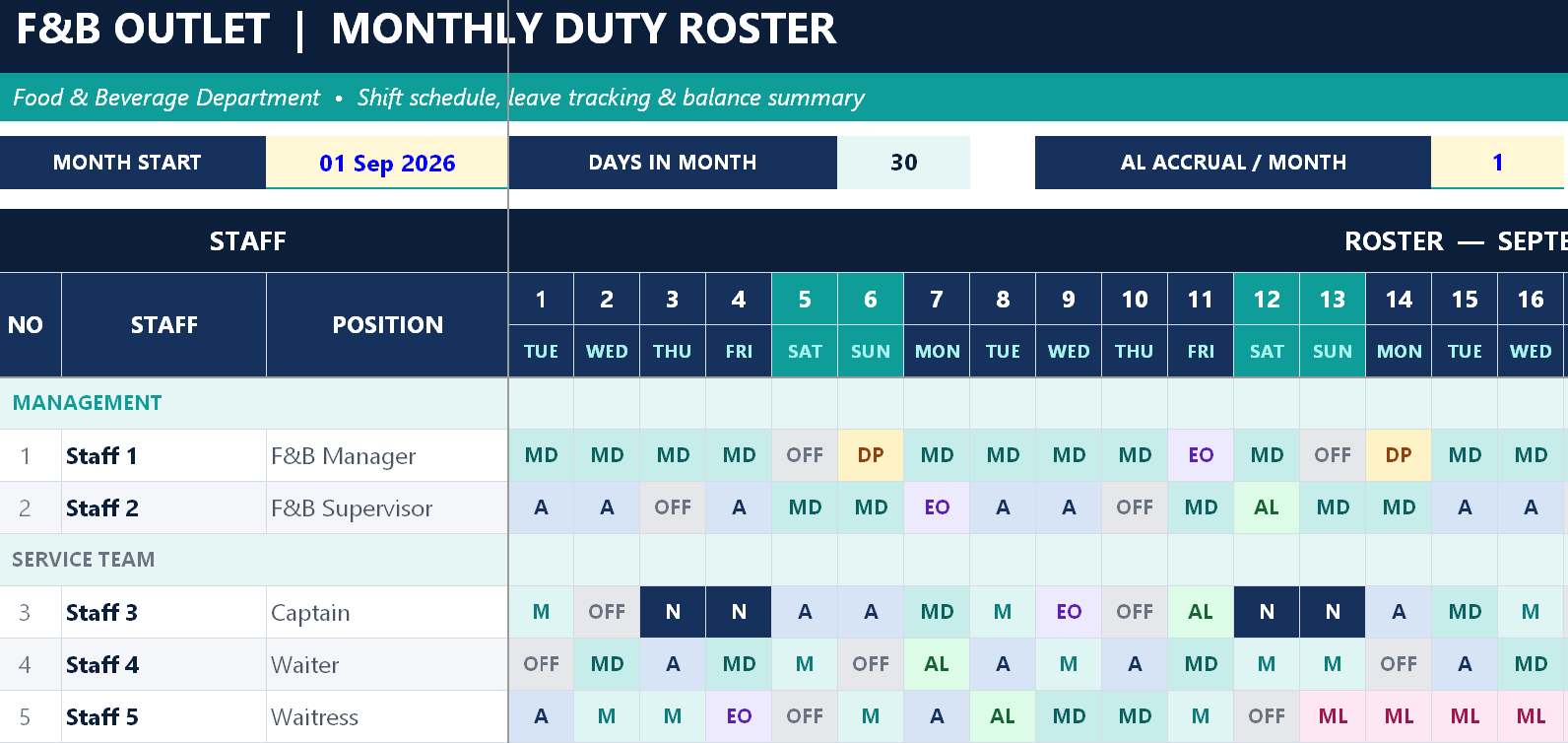
A four sheet Excel workbook that turns the monthly duty roster into a self calculating leave ledger. Type the first day of the month and the whole grid rebuilds: dates, day names, month title and the correct number of days. Fill the shift grid from a dropdown and the workbook counts every OFF, Extra Off, Day Payment, Annual Leave and Public Holiday per person, adds Day Payment automatically when someone works on a public holiday, accrues Annual Leave monthly, and carries every closing balance forward into the next month’s sheet by name. A daily Shift Control panel shows head count per shift so coverage gaps are visible before the roster is published. The file ships with two linked months, September and October 2026, and thirteen sample staff across three sections, so the carry forward mechanism is already working when you open it.
Purpose of This Document
Rosters and leave records are usually two separate documents that disagree with each other. The roster is a grid on the wall, the leave balance is a list in HR, and by the third month nobody can say with certainty how many Extra Off days a waiter is owed or whether a bartender who worked on Nyepi was ever given the replacement day. That gap produces disputes at resignation, unexpected payout liability, and leave taken twice. This workbook makes the roster the record. The schedule and the leave balance are the same document, so a code typed into the grid moves the balance in the same keystroke, and the closing balance becomes next month’s opening balance automatically rather than by retyping. It also makes the manning picture explicit: the Shift Control panel shows, day by day, how many people are on each shift and how many are off, which is the check most handwritten rosters never get.
Who Can Use This Workbook and Which Departments
Primary users
Department Head or Outlet Manager. Builds the roster, approves leave, publishes the schedule. The sample sheet is laid out for Food and Beverage, with a Management section, a Service Team section and a Bar and Host section.
Supervisor or Captain. Fills the daily grid, monitors shift coverage, flags gaps before publication.
Departments that can use the same file
The structure is department agnostic. Rename the section headers and the positions and it works unchanged for:
| Department | Typical section headers |
|---|---|
| Food and Beverage Service | Management, Service Team, Bar and Host (as supplied) |
| Kitchen and Culinary | Management, Hot Kitchen, Cold Kitchen, Pastry, Dishwashing |
| Front Office | Management, Front Desk, Guest Relations, Bell and Concierge, Operator |
| Housekeeping | Management, Room Attendants, Public Area, Linen and Laundry |
| Engineering | Management, Technicians, Duty Engineers |
| Security | Management, Shift Officers, Surveillance |
| Spa and Recreation | Management, Therapists, Pool and Gym |
| Any 24 hour operation | Four shift codes already cover morning, middle, afternoon and night |
Reading and verifying roles
Human Resources Manager. Verifies leave balances against personnel records, uses the Annual Leave column for year end liability, and holds the leave policy that the sheet states on its own face.
Financial Controller and Payroll. Reads Day Payment earned and taken for public holiday compensation, and Annual Leave balances for accrual provisioning.
General Manager or Hotel Manager. Checks coverage and manning across departments by comparing Total On Duty against business volume.
Owners and management companies. One file per department gives a consistent, auditable leave position across the property.
What Is Inside the Workbook
1 and 2. Two monthly roster sheets, September 2026 and October 2026
Each sheet carries four control settings at the top: the month start date, the automatically calculated days in the month, the Annual Leave accrual per month (default 1 day) and the Day Payment earned per public holiday worked (default 1). A fifth field names the previous month sheet, and a validation message confirms with a tick when the carry forward link points at the correct month or warns clearly when it does not.
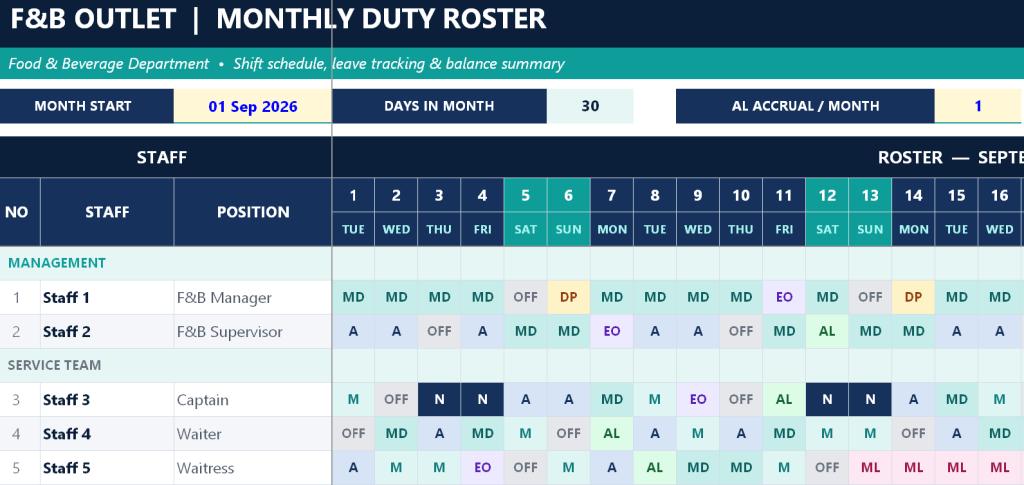
The roster grid itself runs one row per staff member with number, name and position, then one column per day of the month. Dates and three letter day names generate automatically from the month start, and days beyond the month length disappear rather than inviting an entry, which means a 30 day month and a 31 day month need no manual adjustment. Staff are grouped under editable section headers.
To the right sits the leave summary, three blocks across fifteen columns. Last Month Balance carries Extra Off, Day Payment and Annual Leave forward from the previous sheet, matched by staff name. Taken This Month counts OFF, Extra Off, Day Payment, Annual Leave, Public Holiday and Public Holiday Worked directly from the grid. Earned adds the Day Payment generated by public holiday work and the monthly Annual Leave accrual. Actual Balance closes the three accounts: Extra Off as last minus taken, Day Payment as last plus earned minus taken, and Annual Leave as last plus accrual minus taken, with negative balances shown in red.
Below the grid, the Shift Control panel counts Morning, Middle, Afternoon and Night head count for every single day, including staff working those shifts on a public holiday, then totals On Duty and Off or Leave per day.
The legend and notes block closes the sheet with four shift codes and their times (Morning 07.00 to 15.00, Middle 12.00 to 20.00, Afternoon 15.00 to 23.00, Night 23.00 to 07.00), seven leave codes (Regular Off, Extra Off, Day Payment, Annual Leave, Public Holiday off, Sick Leave with doctor certificate, Maternity Leave), four public holiday work codes that each add a Day Payment automatically (HM, HD, HA, HN), a table for entering the month’s public holiday dates and names which turns those day columns red in the header, and the written leave policy.
3. How to Use
A three part guide: the sheet map, a seven step monthly routine covering how to copy the tab for a new month, set the month start, re-point the carry forward link, enter public holidays, fill the schedule, check coverage and add or edit staff, and a full explanation of how the leave balance works including the Annual Leave rule that entitlement is 12 days a year accruing one per month, must be used within the calendar year and resets to zero in January.
4. Copyright
The ownership notice.
What You Gain
A roster that doubles as a leave ledger, which removes the single most common source of dispute in hotel staffing. Public holiday work no longer depends on someone remembering to grant a replacement day, because the code that records the shift creates the entitlement. Balances carry forward by name without retyping, so a twelve month sequence of sheets stays internally consistent. The daily Shift Control panel catches the thin Saturday night before the roster is published rather than on the night. And because the leave policy, shift times and code definitions are printed on the sheet itself, the document explains its own rules to every staff member who reads it, which is exactly what a roster on a notice board needs to do.
Owner: Oka Witantra
© 2026 Oka Witantra. All rights reserved.
Website: www.okawitantra.com
This document, including its design, layout, wording, structure and documentation, is the intellectual property of Oka Witantra. The downloader is granted a single user licence to use and adapt this document for the internal operation of their own property or organisation. Reproduction, redistribution, resale, sublicensing or publication of this document, in whole or in part, is not permitted without prior written permission from the author.
All names, codes and figures shown in this document are sample data for illustration only.
Download link:
Monthly Duty Roster with Automatic Leave Balance Tracking