
Room Attendant Daily Assignment and Workload Balancing Sheet
Room Attendant Daily Assignment and Workload Balancing Sheet
Short Description
A five sheet Excel workbook that replaces the handwritten morning room list with a credit based assignment board. Enter the room status report once, choose who cleans each room, and the workbook calculates the true workload per attendant, flags who is overloaded and who is underloaded, estimates finishing times, sets a cleaning priority for every room, warns you if any room is still unassigned, and prints a clean per attendant worksheet sorted by priority. The file arrives with 87 sample rooms and eight named attendants already assigned, so every calculation is live the moment it opens.
Purpose of This Document
Most housekeeping boards count rooms. That is the one measure that does not reflect the work. Fourteen stayovers in standard rooms is a normal morning; fourteen departures in suites is an impossible one. When the board counts rooms, one attendant finishes at eleven and another is still working at three, the supervisor rebalances by instinct, and nobody can prove what the day actually required. This workbook replaces the room count with a credit, weighted by what the room needs and how large it is, so that workload is comparable across attendants and across days. It also turns the morning plan into three things a supervisor otherwise does by hand: a priority order that puts VIP and early arrival rooms first, a printable list for each attendant, and a live progress view during the shift.
Who Can Use This Workbook and Which Departments
Primary users
Floor Supervisor or Housekeeping Supervisor. Builds the board every morning, assigns rooms, balances the workload, prints the attendant sheets and tracks progress during the shift. The Assignment sheet carries a Supervisor field in the header.
Room Attendants. Receive their own printed sheet with rooms sorted by priority, record time in and time out, note supplies used, and sign off with the supervisor.
Executive Housekeeper and Assistant Executive Housekeeper. Set the credit quota, the status credits and the room type factors, review the balance, and use the Attendants Needed figure for manning decisions.
Departments that feed or read the board
| Department | How it connects |
|---|---|
| Front Office | Supplies the morning room status report (DO, OD, VD, VC, DND, OOO), VIP and early arrival notes, and receives rooms back as Cleaned or Inspected |
| Engineering | Owns the OOO rooms excluded from cleaning credits, and receives maintenance notes recorded on the attendant sheet |
| Laundry | Reads the supplies used block, which records bath towels, hand towels, bath mats, sheets, pillow cases and amenity sets per attendant |
| Security | Receives lost and found items recorded on the attendant sheet |
| Human Resources | Uses recorded credits and hours for manning levels, overtime justification and productivity discussion |
| Finance and Cost Control | Uses credits per shift to calculate real cost per occupied room for housekeeping labour |
Also useful to
Rooms Division Manager or Resident Manager. The Attendants Needed figure converts occupancy forecast into a staffing requirement, which is the number manning discussions usually lack.
General Manager. A single screen showing whether today’s rooms can be cleaned by today’s team.
Hotels using outsourced or daily hire housekeeping. Credits give an objective basis for how many casual staff to call and what each person is expected to deliver.
Small properties, villas, hostels and serviced apartments. The workbook works at any scale because the quota, status credits and room factors are all editable.
What Is Inside the Workbook
1. Assignment
The daily board, with the header carrying date, shift, supervisor, rooms to clean, total credits and an Attendants Needed figure that divides total credits by the quota and shows the number of people on duty beside it.
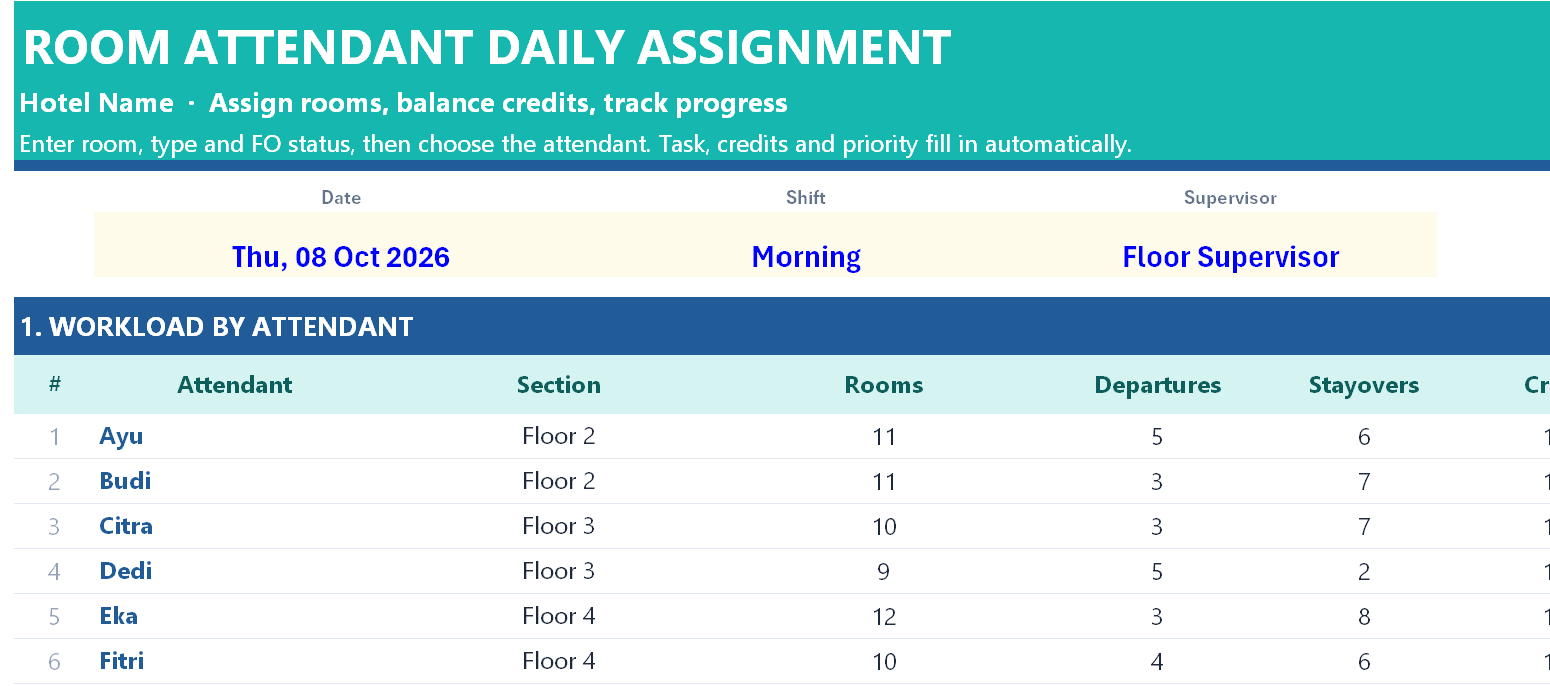
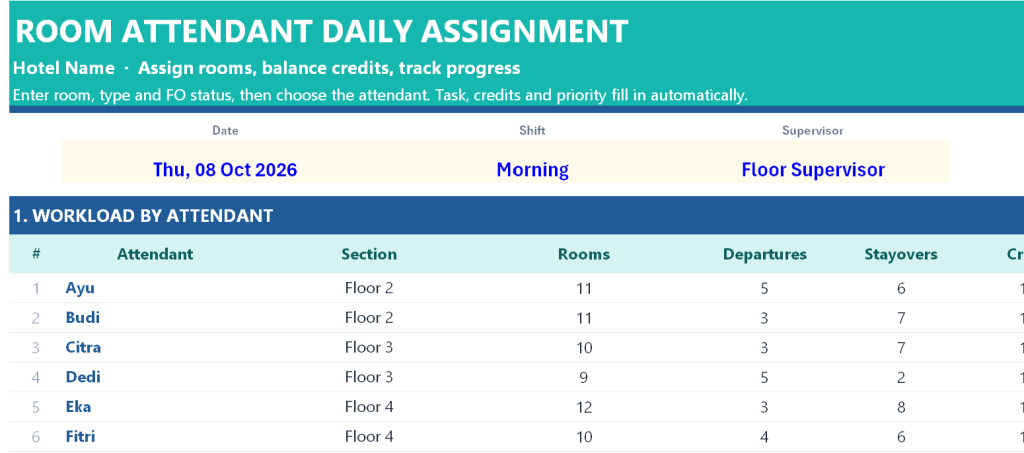
Section 1, Workload by Attendant, gives one row per attendant with twelve columns: section or floor, rooms assigned, departures, stayovers, total credits, variance against quota, estimated hours based on the minutes per credit setting, rooms completed, a progress percentage and a workload status of Balanced, Overloaded, Underloaded or Not assigned. Below the table sits a validation line that reads either a tick confirming every room that needs cleaning has an attendant, or a warning counting how many rooms are still unassigned.
Section 2, the Room List, holds 100 rows with sixteen columns. You enter the room number, room type, FO status, guest note, the assigned attendant, time in, time out, housekeeping status and remarks. The workbook derives the floor from the room number, the task description from the status code, the credit value, the cleaning priority and the minutes taken. A hidden print key column feeds the per attendant sheet.
2. Attendant Sheet
A printable worksheet. Choose a name in one cell and the sheet fills with that person’s day: date, shift, section, rooms, departures, stayovers, credits, estimated hours and workload status, followed by up to twenty rooms automatically sorted by priority with room number, type, status, task, guest note, credits, priority and blank columns for time in, time out and remarks. Below the list is a supplies used block covering bath towels, hand towels, bath mats, sheets and duvets, pillow cases and amenity sets, a lost and found and maintenance notes field, and a two way signature line for attendant and supervisor. A footer explains the priority order so the attendant understands why the list is in that sequence.
3. Setup
The single control sheet. Hotel name, credit quota per attendant for an eight hour shift (default 14), the workload band in credits that defines Balanced (default plus or minus 2) and the planning minutes per credit (default 28) used to estimate finishing time.
The status code table, each with its credit value, task name and plain English meaning:
| Code | Credits | Task |
|---|---|---|
| DO | 1.5 | Departure clean |
| OD | 1.0 | Stayover clean |
| VD | 0.75 | Vacant dirty |
| VC | 0.2 | Check only |
| DND | 0 | Do not disturb, re-check later |
| OOO | 0 | Out of order, Engineering |
The room type factor table, multiplying the base credit by room size: Superior 1.0, Deluxe 1.1, Accessible 1.2, Family 1.3, Suite 1.6. Two extra credits of 0.25 each for a VIP amenity setup and for an extra bed or baby cot. Twelve attendant slots with a section or floor against each name. And the guest note dropdown: VIP, Early Arrival, Late Check-out, Extra Bed, Make Up Room, Allergy or Special.
4. How to Use
A three part guide: the sheet map, a six step morning routine from entering the date through to tracking progress with the next day reset instructions, and a plain explanation of how credits, room factors, extras, the quota and the priority order work.
5. Copyright
The ownership notice.
How the Credit Calculation Works
Base credit from the FO status, multiplied by the room type factor, plus any VIP or extra bed credit. A stayover Superior room is 1.0. A departure Suite is 1.5 multiplied by 1.6, or 2.4 credits, which is more than twice the work of the stayover and the board now says so. A DND or OOO room scores zero and is excluded from the workload, so an attendant is never credited for a room they cannot enter.
Priority is set automatically on four levels: 1 Rush for VIP or early arrival, 2 High for departures and make up room requests, 3 Normal for stayovers, 4 Low for vacant rooms, with DND and OOO marked out of scope.
What You Gain
A morning board that takes less time to build than a handwritten list and produces a defensible plan instead of a guess. The workload status tells you immediately which attendant to take two rooms from and which to give them to, before the shift starts rather than at noon when the complaint arrives. The Attendants Needed figure converts tonight’s occupancy into tomorrow’s manning requirement, which is the single most useful number a housekeeping manager can take into a labour cost discussion. The printable attendant sheet means each person starts with the right rooms in the right order and a place to record supplies and faults, and the unassigned room warning means no room is quietly forgotten on a high arrival day.
Owner: Oka Witantra
© 2026 Oka Witantra. All rights reserved.
Website: www.okawitantra.com
This document, including its design, layout, wording, structure and documentation, is the intellectual property of Oka Witantra. The downloader is granted a single user licence to use and adapt this document for the internal operation of their own property or organisation. Reproduction, redistribution, resale, sublicensing or publication of this document, in whole or in part, is not permitted without prior written permission from the author.
All names, codes and figures shown in this document are sample data for illustration only.
Download link:
Room Attendant Daily Assignment and Workload Balancing Sheet