
Guest Review and Reputation Management Dashboard
Guest Review and Reputation Management Dashboard
Short Description
A complete six sheet Excel workbook that turns scattered online reviews into one managed daily routine and one monthly reputation report. Log every review from Google, TripAdvisor, Booking.com, Agoda, Traveloka, Expedia, Trip.com, Tiket.com, direct surveys and social media in a single place, let the workbook convert every rating onto a common 5-point scale, build a draft reply from a template library in seconds, and read your reputation performance by platform, by department and by topic. The file arrives with 152 sample reviews across six months so every table, chart and formula is already working the moment you open it.
Purpose of This Document
Most hotels manage reviews reactively. Someone replies to whatever appears in the inbox, nobody knows the real response rate, and the monthly meeting discusses impressions instead of numbers. This workbook closes that gap in three ways. It gives you an auditable log so no review is missed and every reply is timestamped against a platform specific SLA. It gives you a reply builder so a consistent, brand appropriate draft is ready in seconds rather than written from scratch each time. And it gives you a monthly dashboard that answers the question operations meetings rarely answer with evidence: which department is generating the complaints, which topic keeps recurring, and whether reputation is improving or sliding.
Who Can Use This Workbook and Which Departments
Primary owner
Guest Relations Manager or Guest Relations Officer. This is the daily driver of the file. Logs new reviews, classifies topic and department, builds and posts replies, records service recovery, and clears the open review list every day.
Approving and reviewing roles
General Manager. Reads the Dashboard monthly, uses the department and topic tables to direct action, and personally handles reviews marked Escalated. The Setup sheet already carries a General Manager name field that prints on the Dashboard header.
Front Office Manager and Duty Manager. Cover review response on shifts when Guest Relations is off duty. The sample data already shows the Duty Manager as a responder, which reflects real practice.
Director of Sales and Marketing. Uses platform level ratings and negative share as commercial inputs, since OTA ranking and conversion both move with review scores.
Revenue Manager. Reads average rating by platform alongside rate positioning. A falling score on an OTA is a pricing problem before it becomes a reputation problem.
Departments that receive findings and act on them
The Setup sheet ships with nine department values, and each one is a routing destination for a review:
| Department | What it receives from this workbook |
|---|---|
| Front Office | Check-in and check-out complaints, staff service, arrival waiting times |
| Housekeeping | Cleanliness, room comfort, turndown and amenity issues |
| F&B Restaurant | Food quality, breakfast, service speed, outlet experience |
| F&B Banquet | Event, group and function feedback |
| Engineering | Maintenance faults, air conditioning, noise, Wi-Fi and technology |
| Spa and Recreation | Treatment, pool and facility feedback |
| Security | Safety concerns, incidents, parking |
| Sales and Reservations | Booking accuracy, rate expectations, value for money |
| General / Overall | Location, overall impression, reviews without a single owner |
Also useful to
Human Resources and Training. Negative reviews tagged Staff Service give an evidence based training agenda, and positive reviews naming individuals give you recognition material.
Quality or Brand Standards. The response rate, on-time rate and negative share are the three figures brand audits and management contracts most often ask for.
Owners, asset managers and management companies. The monthly trend table and charts travel straight into an owner report.
Multi property operators. One file per property, the same structure, the same six KPIs, which makes properties genuinely comparable.
What Is Inside the Workbook
1. Dashboard
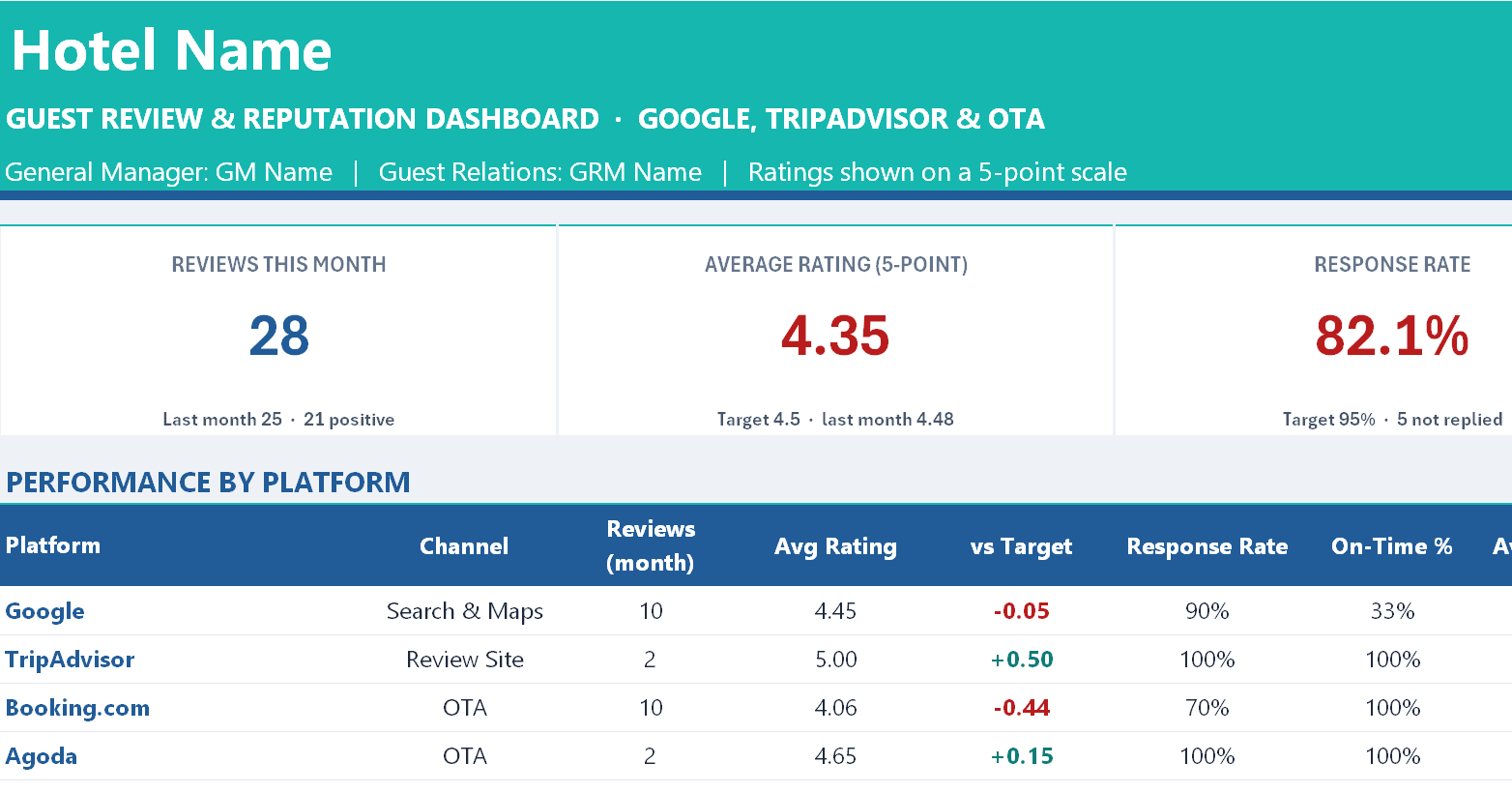
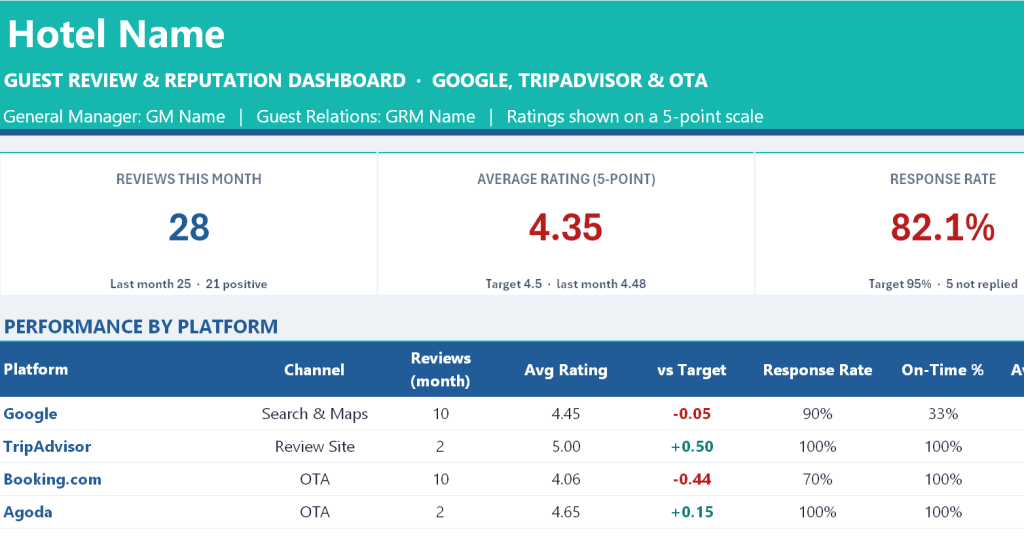
The reporting page, read only, built entirely from formulas. Six KPI cards across the top: Reviews This Month, Average Rating on a 5-point scale, Response Rate, On-Time Response against SLA, Negative Review Share, and Open Items across all months. Below that a Performance by Platform table with fourteen columns per platform covering monthly reviews, average rating, variance against target, response rate, on-time percentage, average reply time in hours, negative count, positive percentage, a rolling six month review count and rating, movement against last month, and an automatic status of On Target, Watch or Action, with an ALL PLATFORMS total row. Then two side by side analysis tables: Departments over the last six months with reviews, average rating, negative count, negative percentage, current month volume and open items; and Topics over the last six months counting both main and second topic mentions with positive, neutral and negative splits, a Net Sentiment score and an average rating for the main topic. Below those a Monthly Trend table covering reviews, average rating, response rate, on-time percentage, negative percentage and positive percentage month by month, then three charts: review volume against average rating, average rating by platform comparing this month with the six month average, and sentiment by topic. The page closes with an Open Reviews list showing the ten oldest unanswered reviews sorted oldest first, with review ID, date, platform, guest, rating, sentiment, topic, department, assignee, status and age, so the daily action list is visible without filtering anything.
2. Setup
The single control sheet. Hotel name, report month, an automatic report end date, Guest Relations Manager and General Manager names, the number of rolling trend months, and an automatic status as-of date. Five targets: response rate, average rating, on-time response rate, maximum negative review share, and the 5-point rating at or below which a review counts as negative. A platform table holding up to ten platforms, each with its native rating scale (5 or 10), its reply SLA in hours and its channel type, pre-filled with Google at a 24 hour SLA, TripAdvisor at 48, the major OTAs at 48, Direct Survey at 72 and Social Media at 24. Then the nine department values, twelve topic values, and the dropdown lists for Sentiment, Status, Priority and Guest Type.
3. Review Log
One row per review, 300 rows prepared, 31 columns, with 152 sample reviews already entered across April to September 2026. You type or choose eleven fields: review date and time, platform, guest name, room number, check-out date, guest type, the rating exactly as posted, main topic, second topic, department and a one line summary, plus the response date and time and responder once you reply, and the service recovery action and compensation in Rupiah where relevant. The workbook calculates the rest: a unique sequential Review ID in the format RV-2609-001 built from the review date, the platform scale pulled from Setup, the rating converted to a 5-point equivalent, sentiment derived from your negative threshold, priority derived from sentiment, the applicable SLA pulled from the platform table, response time in hours, an on-time Yes or No flag, a days open figure that returns Replied, Overdue or an age in days, the report month key, and a hidden sort key that feeds the Dashboard open review list.
4. Response Templates
Two halves. The Reply Builder at the top: choose a Review ID and the sheet pulls the platform, guest name, rating, sentiment, main topic and summary, selects the matching template, assembles a complete draft reply with the guest name, topic, hotel name and your signature already substituted, and reports the character count with a note that OTA replies are best kept under 1,000 characters. Below it the template library, sixteen editable templates coded T-P01 to T-P03 for positive, T-N01 to T-N02 for neutral and T-X01 to T-X09 for negative, each split into opening, body and closing. The negative set covers cleanliness, noise, maintenance, staff service, food and beverage, check-in and check-out, value for money and breakfast, each written as a genuine service recovery reply naming the corrective action rather than a generic apology. Matching works topic first, then falls back to the Any template for that sentiment, so the builder always produces a draft.
5. How to Use
A seven part internal manual: a sheet by sheet workbook map, the one time Setup steps, the daily Review Log routine, how to read each area of the Dashboard, the exact calculation rules for the 5-point conversion, sentiment, response time and overdue status, six good practice notes on review response, and a troubleshooting table covering wrong converted ratings, reviews missing from the month view, generic draft replies and what to do beyond 300 reviews.
6. Copyright
The ownership notice.
What You Gain
A reputation management system rather than a spreadsheet. Ratings from a 10-point OTA and a 5-point review site become directly comparable, which is the single thing most hotels get wrong when they report reputation to owners. Response performance becomes measurable against a platform specific SLA instead of a vague intention to reply quickly. Reply drafting drops from several minutes to seconds without losing the personal detail that makes a reply credible. And the department and topic tables convert complaints into a prioritised action list for the monthly operations meeting, which is where reputation work actually gets done. Every figure on the Dashboard is formula driven from a single log sheet, so there is no second place to update and nothing to reconcile.
Owner: Oka Witantra
© 2026 Oka Witantra. All rights reserved.
Website: www.okawitantra.com
This document, including its design, layout, wording, structure and documentation, is the intellectual property of Oka Witantra. The downloader is granted a single user licence to use and adapt this document for the internal operation of their own property or organisation. Reproduction, redistribution, resale, sublicensing or publication of this document, in whole or in part, is not permitted without prior written permission from the author.
All names, codes and figures shown in this document are sample data for illustration only.
Download link:
Guest Review and Reputation Management Dashboard