
Room Weekly Leadership Inspection Dashboard
Room Weekly Leadership Inspection Dashboard
Short Description
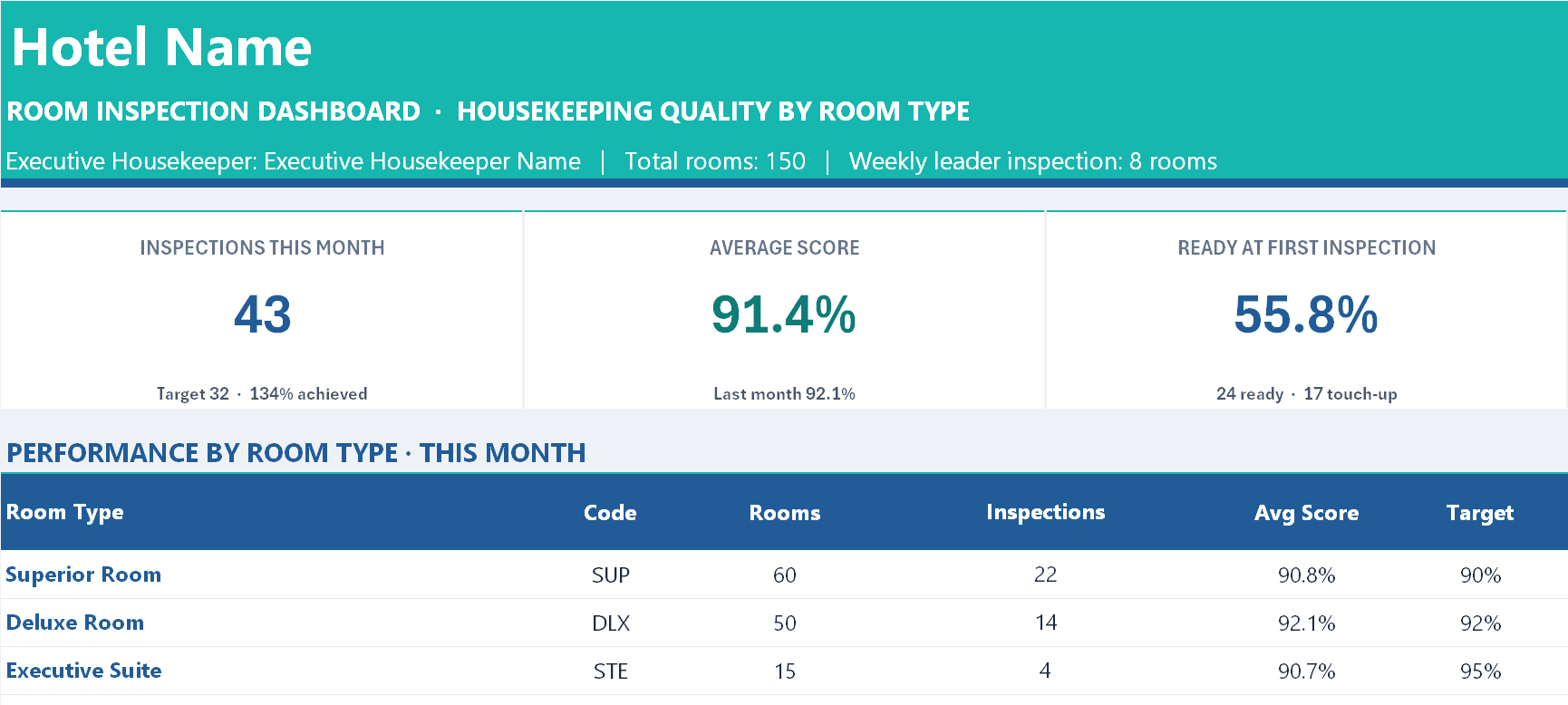
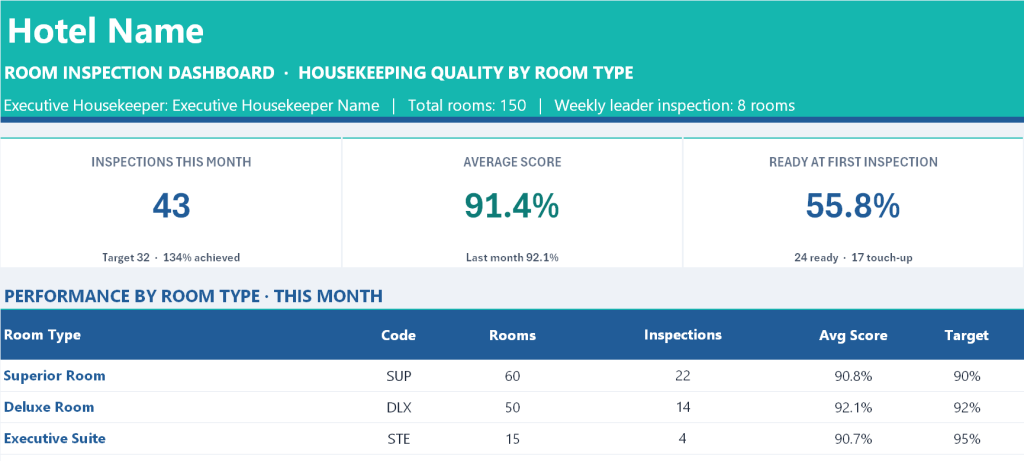
A complete twelve sheet Excel workbook that turns room inspection from an informal walk into a weighted, auditable quality system with an executive dashboard behind it. It carries one master list of 61 inspection standards, five ready built inspection forms (Superior Room, Deluxe Room, Executive Suite, Family Room and Accessible Room) each containing only the items that apply to that room type, a 53 week leadership rotation that assigns a different department head to inspect rooms every week, a 500 row inspection log, and a dashboard reporting quality by room type, by inspection area, by room attendant, by week and by department leader. The file arrives with 358 sample inspections spanning ten months, so every table, chart and formula is working the moment it opens.
Purpose of This Document
Room quality is usually inspected by Housekeeping alone, scored by impression, and recorded nowhere. That produces three predictable failures: the people closest to the work stop seeing the faults, nobody can prove whether standards are improving, and a room with a failed safety item gets sold because no rule stopped it. This workbook addresses all three. Every item carries a weight, so a failed door lock does not score the same as a crooked lampshade. Any failed critical item blocks the room automatically regardless of the overall score, which removes the judgement call from a safety decision. And the weekly leadership rotation deliberately moves inspection outside Housekeeping, so that a guest’s eye from Sales, Finance, Engineering or the General Manager sees the room instead of the eye that cleaned it.
Who Can Use This Workbook and Which Departments
Primary owner
Executive Housekeeper. Owns the file, maintains the Checklist Master, the room type targets and the attendant list, logs inspections, manages the re-inspection queue, and uses the attendant ranking for coaching. The Setup sheet carries a dedicated Executive Housekeeper name field.
Assistant Executive Housekeeper. Day to day inspector and the second active user of the forms.
The weekly inspection team, already built into the Weekly Rota sheet
Twelve department leaders are pre-listed and the 53 week rota assigns one of them each Monday automatically:
| Leader | Department |
|---|---|
| General Manager | Executive Office |
| Hotel Manager | Executive Office |
| Director of Sales and Marketing | Sales and Marketing |
| Front Office Manager | Rooms Division |
| Executive Housekeeper | Housekeeping |
| Assistant Executive Housekeeper | Housekeeping |
| Chief Engineer | Engineering |
| Food and Beverage Manager | Food and Beverage |
| Executive Chef | Culinary |
| Human Resources Manager | Human Resources |
| Financial Controller | Finance |
| Security Manager | Security |
Each leader can be marked active or inactive, given a rooms per week target, and overridden for any individual week when they are away.
Departments that receive the findings and act on them
The Action By dropdown routes every failed item to an owner:
| Department | What it receives |
|---|---|
| Housekeeping | Cleanliness, bed and linen, bathroom, amenity and minibar failures |
| Engineering | Air conditioning, hot water, locks, electrical, maintenance faults |
| Front Office | Room release, room status accuracy, out of order and blocked rooms |
| Security | Smoke detectors, connecting doors, balcony restrictors, in-room safes |
| Purchasing | Missing or worn amenities, linen and equipment replacement |
| IT | Wi-Fi, television, telephone and in-room technology |
| Laundry | Linen quality, stains, towel condition |
Also useful to
General Manager and Hotel Manager. Read the Dashboard monthly, and appear on the leader scorecard as participants rather than spectators.
Rooms Division Manager or Resident Manager. Uses results by room type and by area to prioritise refurbishment and maintenance spend.
Chief Engineer. Reads the Technology and Safety area scores as a planned maintenance input rather than waiting for complaints.
Human Resources and Training. The attendant ranking with its Strong, Watch and Coaching status is a direct training needs analysis.
Quality, brand standards and owner representatives. The month by month table and leader scorecard are audit ready evidence that inspection actually happened.
Multi property operators. One file per property with identical scoring makes properties genuinely comparable.
What Is Inside the Workbook
1. Dashboard
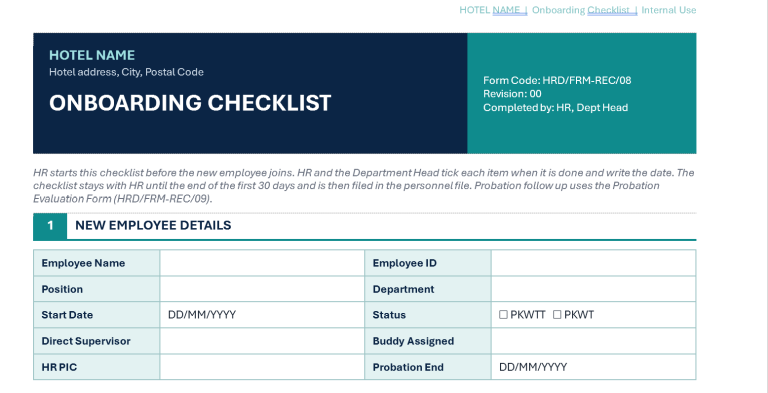
The reporting page, read only, entirely formula driven. Six KPI cards: Inspections This Month, Average Score, Ready at First Inspection, Rooms Blocked, Re-inspection Pass Rate and Awaiting Re-inspection. Below that a Performance by Room Type table with fourteen columns covering room count, inspections, average score, target, variance, Ready percentage, touch-up, re-clean and blocked counts, average inspection duration in minutes, last month’s score and an automatic status, with an ALL ROOM TYPES total. Then two side by side tables: Score by Area, listing all nine areas sorted weakest first with the change against last month and a rank so the fix list writes itself; and Room Attendant Ranking, showing inspections, average score, Ready percentage, blocked and re-clean counts, rank and a Strong, Watch or Coaching status per attendant. Below those, Weekly Leader Inspections for the month showing week start, leader, department, rooms done against target, average score and week status; and the Re-inspection Queue sorted oldest first with date, room, type, attendant, score and result. Two charts follow, average score by area and average score by attendant. Then a Month by Month Room Quality table covering the full year with inspections, average score, movement, Ready percentage, blocked rooms, leader weeks completed and all nine area scores per month, plus a combined score and volume chart. The page closes with the Department Leader Scorecard, year to date: weeks assigned, weeks done, completion percentage, rooms inspected, average score given, Ready percentage, blocked rooms found, critical fails found, last inspection date, next rota week and a participation status, with a note explaining that a leader scoring consistently lower is usually stricter rather than unlucky.
2. Setup
The single control sheet. Hotel name, report month, Executive Housekeeper, total rooms, rooms per weekly leader inspection and an automatic as-of date. The scoring rules: Critical worth 5 points, Major 3, Minor 1, each with a written definition. The result thresholds: a default Ready score, a Touch-up score, and the two rules that Re-clean applies below Touch-up and that any failed critical item blocks the room regardless of score. The room type table with code, room count and an individual target score per type, pre-filled at 90 percent for Superior and Family, 92 percent for Deluxe and Accessible and 95 percent for Executive Suite. Ten room attendant slots. And the dropdown lists for Result, Inspection Type (Weekly Leader Walk, Pre-arrival VIP, Re-inspection, Deep Clean Check, Out of Order Release), Room Status and Action By.
3. Weekly Rota
The inspection team list with name, position, department, rooms per week, an active flag and rota order, followed by a 53 week rotation showing week number, week start and end, month, the automatically assigned leader, an override field, department, target rooms, rooms actually inspected, average score, blocked rooms found and a week status of Completed, Partial, Missed or Upcoming.
4. Checklist Master
One list of 61 standards, each with its area, the item, a plain English statement of what good looks like, its weight and its point value, plus a Y column per room type marking where it applies. Nine areas are covered: Entrance and Door, Bedroom, Bed and Linen, Furniture and Fixtures, Bathroom, Amenities and Minibar, Technology and Electrical, Safety and Security, and the room type specific groups of Balcony, Living and Pantry, Family Extras and Accessibility. The standards are operational rather than generic: hot water within 30 seconds, air conditioning set at 23 degrees, connecting door locked from both sides, emergency pull cords reaching the floor, 90 centimetre clear path, socket covers fitted in family rooms. Editing the wording here updates every inspection form at once.
5 to 9. Five inspection forms
One sheet per room type carrying only its applicable items: Superior Room 45 items, Deluxe Room 47, Executive Suite 52, Family Room 49, Accessible Room 50. Each form has a header block for room number, date, the inspecting department leader, room attendant, room status, inspection type and start and finish times with automatic duration. Five live result cards show score, items rated, failed items, critical fails and the resulting room status, with supporting lines giving the target, the N/A count, the major and minor failure split and a count of items still unrated. Then the checklist itself with Pass, Fail or N/A per item, automatic points earned, and columns for the defect description, who fixes it and whether it has been fixed. Section 2 breaks the score down by area with its own status per area. Section 3 is a three way sign-off: inspector, room attendant and the person releasing the room to Front Office. A hidden log line sits beside each form, assembling the entire inspection into a single row ready to copy into the log.
10. Inspection Log
500 rows, 33 columns, one row per completed inspection, with 358 sample inspections already present covering late December 2025 to September 2026. Automatic Inspection ID, floor number derived from the room number, target score pulled from the room type, the final result, report month, a re-inspection queue key, the leader’s department pulled from the rota and the Monday of the week. You paste the form’s log line and add the re-inspection date, result and remarks.
11. How to Use
An eight part internal manual: workbook map, colour code, one time setup, how to inspect a room, how to record it in the log including the exact copy and paste steps, the calculation rules for score, room status, area score and attendant status, a troubleshooting table, and a full section explaining the weekly leadership inspection, why it exists, how to swap a week and how the rota status works.
12. Copyright
The ownership notice.
What You Gain
An inspection system where the score means something. Weighted items stop a room passing on volume of small wins while a safety item is failed, and the automatic block rule takes that decision out of anyone’s hands. The five separate forms mean nobody inspects an Accessible Room against a Superior Room checklist or marks half a suite N/A. The area ranking tells you where to spend training time this week, the attendant ranking tells you who needs it, and the leader scorecard makes cross departmental inspection a measured commitment rather than a good intention that quietly lapses. Everything on the Dashboard computes from one log sheet, so there is no second place to update and nothing to reconcile before the monthly meeting.
Owner: Oka Witantra
© 2026 Oka Witantra. All rights reserved.
Website: www.okawitantra.com
This document, including its design, layout, wording, structure and documentation, is the intellectual property of Oka Witantra. The downloader is granted a single user licence to use and adapt this document for the internal operation of their own property or organisation. Reproduction, redistribution, resale, sublicensing or publication of this document, in whole or in part, is not permitted without prior written permission from the author.
All names, codes and figures shown in this document are sample data for illustration only.
Download link:
Room Weekly Leadership Inspection Dashboard