
Property Walkthru Assessment (GM and Owner)
Management Walkthru Assessment (GM and Owner)
Short description
A complete property inspection workbook that lets the General Manager and the Owner walk the same hotel, score it independently, and then compare their findings side by side. It covers 64 inspection points across eight areas, 76 written standards, and 107 operating disciplines, then converts every gap into a tracked action with an owner and a due date. Built to scale from one star properties to five star resorts.
Purpose
This workbook replaces the loose notes, photographs, and verbal reports that usually follow a property walk. It serves four purposes:
- It gives the walk a structure, so nothing is inspected by memory and no area is quietly skipped.
- It captures two independent perspectives, the General Manager and the Owner or Owner Representative, and automatically flags every item where the two assessors disagree significantly. This turns a potentially uncomfortable conversation into a factual one.
- It separates three different kinds of judgement, namely the physical walk, compliance with written standards, and the discipline of daily operations, so that a clean looking hotel with weak controls is not mistaken for a well run one.
- It closes the loop, because every finding becomes a line in the action plan with a responsible person, a priority, a due date, and an automatic overdue flag.
It suits monthly or quarterly owner inspections, annual reviews, pre opening readiness checks, handover between management companies, and portfolio wide quality standardisation.
What is inside the file
Eight sheets, organised as one report sheet, one settings sheet, three assessment sheets, one follow up tracker, a user guide, and an ownership notice.
1. Summary sheet (the finished report, read only)
- A header carrying the hotel name, star display, General Manager and Owner names, assessment type, room count, assessment date, and the target score for the property’s star class.
- Five headline panels, namely the GM Walkthru Score, the Owner Walkthru Score, Standards Met percentage, Operations Compliance percentage, and the Overall Status.
- Supporting figures beneath each panel, including the variance against target, the gap between GM and Owner scores, the number of items flagged for review, the count of standards rated below standard, the number of non compliant and partially compliant operating items, plus running totals of open and overdue actions.
- An Area Scorecard covering all eight areas, showing the item count, the GM score, the Owner score, the gap between them, separate averages for Cleanliness, Condition, and Safety, the weighted area score, the status label, and the area’s rank.
- A Top Focus Areas table listing the five weakest areas automatically, each with its score, variance against target, number of review flags, weakest category, and the single lowest scoring item within it.
- A Standards by Category panel showing how many standards were rated, how many fell below standard, and the percentage met for each of the three categories.
- An Operations by Domain panel covering all sixteen operating domains, with the number of items rated, non compliant counts, and a compliance score for each.
- Two bar charts, one comparing GM against Owner scores by area, and one showing performance by category.
2. Setup sheet (configured once)
- Property profile, covering hotel name, star rating from one to five, room count, assessment date, assessment type, General Manager name, and Owner or Owner Representative name.
- The Walkthru scoring scale, a four point scale running from Critical Gap, through Needs Improvement and On Standard, to Signature Standard, each with a written definition so both assessors apply the same meaning.
- The Standards rating scale, namely Below Standard, Meets Standard, and Exceeds Standard, with point values attached.
- The Operations result scale, namely Compliant, Partial, Non compliant, and Not Applicable, with Not Applicable excluded from scoring.
- Target scores for each star class, which the workbook selects automatically based on your star rating and which remain fully editable to match an owner agreement or brand standard.
- Category weights for Cleanliness, Condition and Maintenance, and Safety and Security, with a built in check confirming they total one hundred percent.
- Three thresholds, namely the Signature threshold, the Watch band below target, and the GM versus Owner gap that triggers a review flag.
3. Walkthru sheet (the walk itself)
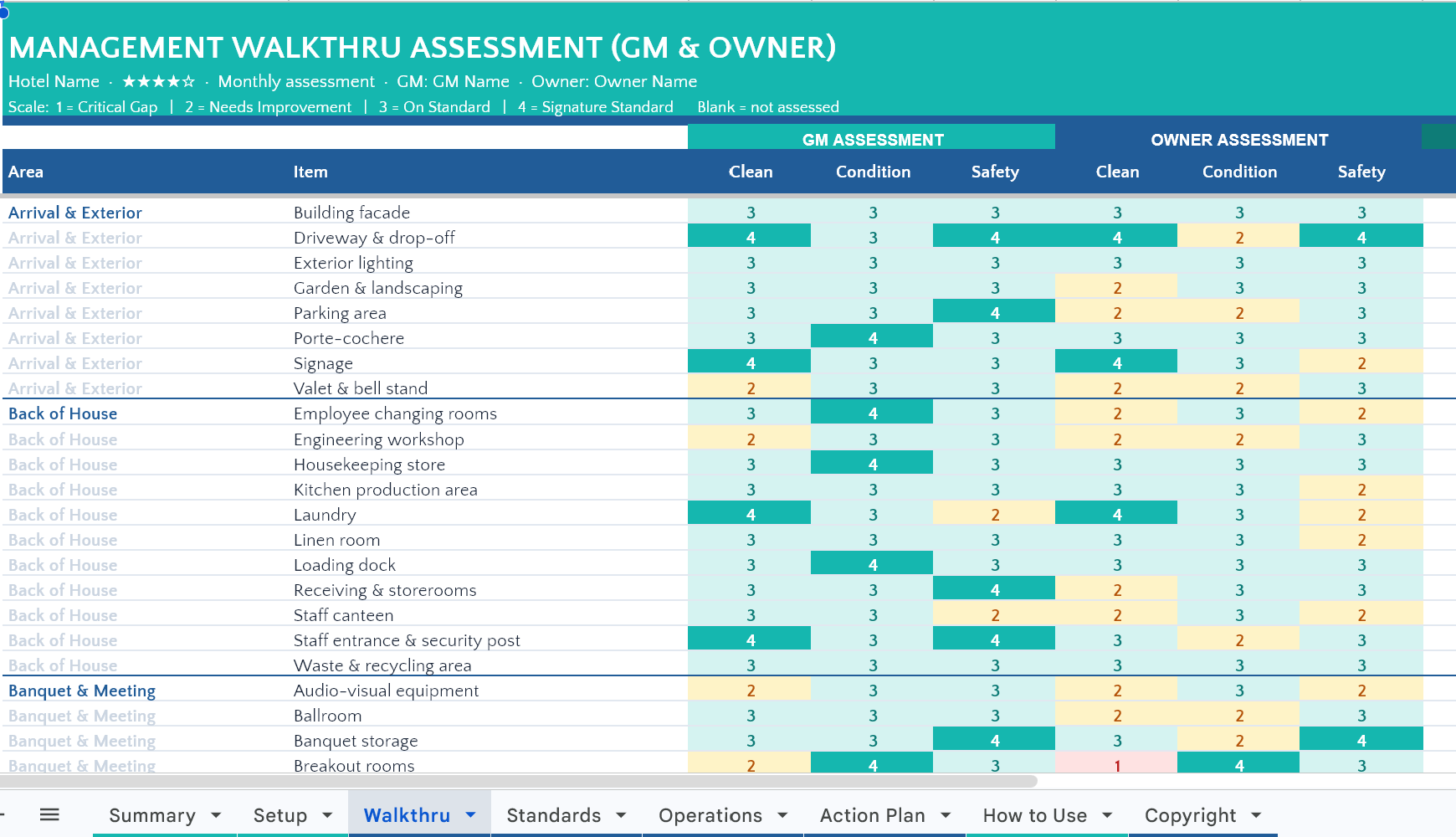
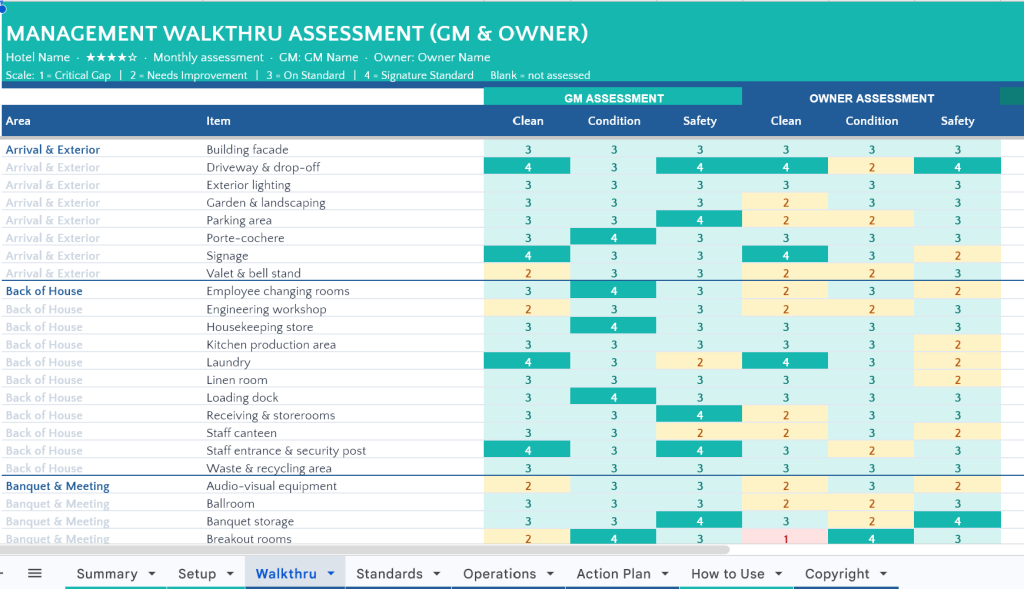
Sixty four inspection items grouped into eight areas, each item scored separately for Cleanliness, Condition, and Safety by both the GM and the Owner, giving six scores per item.
The eight areas are Arrival and Exterior with eight items, Lobby and Front Office with eight items, Guest Floors with six items, a Guest Room sample with eleven items, Restaurant and Bar with seven items, Pool, Spa and Fitness with seven items, Banquet and Meeting with six items, and Back of House with eleven items.
Each row also carries an automatic GM average, Owner average, the gap between them, a Review flag that appears when the two assessors diverge beyond the agreed threshold, and a comment field. Spare rows are available for items specific to your property.
4. Standards sheet (written standards review)
Seventy six referenced standards, each with a code, a written description, a rating, an automatic point value, a priority field, and a comment field, split as follows:
- Cleanliness, twenty five standards coded CL-01 to CL-25.
- Condition and Maintenance, twenty five standards coded CM-01 to CM-25.
- Safety and Security, twenty six standards coded SS-01 to SS-26.
Each standard is written as a verifiable statement rather than a vague heading, for example air vents free of dust and staining, or bathroom fixtures free of limescale and odour, which removes argument about whether a standard was met.
5. Operations sheet (operating discipline review)
One hundred and seven referenced operating standards coded OP-001 to OP-107, spread across sixteen domains:
Arrival and Departure, Attendance and Rostering, Cash and Night Audit Control, Daily Briefing and Shift Handover, F&B Quality, Grooming and Uniform, Guest Experience, Guest Readiness, Housekeeping Control, Permits and Notices, Procurement and Par Stock, Professional Conduct, Recipe and Production Control, Responsible Alcohol Service, Revenue and Marketing Presence, and Staff Safety and Hygiene Habits.
Each line is marked Compliant, Partial, Non compliant, or Not Applicable, with a priority and comment field attached.
6. Action Plan sheet (follow up tracker)
Capacity for thirty findings, each recorded with its source sheet, the finding itself, the required action, the responsible person, priority, due date, and status. The sheet automatically calculates days remaining from the assessment date and flags each line as On track, Due soon, or Overdue. A live summary line at the top reports open, overdue, and completed counts.
7. How to Use sheet
A guide in nine parts, covering the sheet map, the colour and symbol code, the one time setup, how to conduct the walk, how to complete the standards and operations reviews, the follow up routine, a full explanation of how every score is calculated, recommended focus by star class, and troubleshooting.
8. Copyright sheet
Ownership and copyright notice covering the design, structure, formulas, and standards wording.
What you gain
- A property walk that produces a document rather than a conversation, with a defensible score you can place in front of ownership.
- Objective handling of disagreement between management and ownership, since divergent scores are flagged by the workbook rather than raised by a person.
- Clear separation between how the hotel looks, what the written standards require, and how disciplined daily operations actually are.
- A direct line from finding to accountability, because no issue leaves the walk without an owner and a date.
- Comparability over time, since saving one copy per assessment allows month on month and year on year tracking.
- Ready for any class of property, as targets adjust to the star rating selected.
Download Link :
Property Walkthru Assesment